




Choose your support subscription

What to expect from a support subscription?
We pride ourselves on delivering first-class technical support, though that's not the only benefit you can expect from one of our subscription packages.
You'll also get the latest software updates, access to masterclass webcasts, invites to in-person development events, download codes for exclusive productivity tools and much more!
35
Engineers Every Day
4.9/5
Customer Feedback Score
7.9 seconds
Average Pickup Time
What to expect from our support team?
Every day at least 35 of our SOLIDWORKS engineers are on duty to ensure your enquiry gets answered as quickly as possible. We don’t have an automated call routing system, you get straight through to our engineers.

Want to know more?
Speak to our friendly team
What's Included in a SOLIDWORKS Subscription?
Explore the features of SOLIDWORKS subscription packages below. Discover the discounts, services and software available with enhanced subscription.
Subscription Benefit
Included
Enhanced
Gain access to the most qualified SOLIDWORKS support team in the world via phone, email and online.
Our experienced team of certified Applications Engineers and consultants are on call every weekday between 8 AM and 5:30 PM to help you resolve any issues you may have with SOLIDWORKS.
A rapid pick-up time means you'll be taking to an expert within seconds.
Access the latest versions of software and stay up-to-date with new features and capabilities.
The SOLIDWORKS Cloud Services provide tools for revisioning, share & markup, cloud data management and more. These applications provide a brilliant introduction to the 3DEXPERIENCE platform through seamless integration within the SOLIDWORKS interface.
Create 2.5 axis toolpaths quickly from SOLIDWORKS files with SOLIDWORKS CAM. This fully-integrated software is a great fit for those wanting to automate the manufacturing process to reduce the time to production and enhance their product quality.
SOLIDWORKS CAM is included with all licenses of SOLIDWORKS Standard, Professional, and Premium on subscription.
SOLIDWORKS Visualize enables you to promote your digital sales and display your products at their best by creating professional photo-quality images, animations, and other 3D content in the fastest and easiest way possible.
*SOLIDWORKS Visualize Standard is available for subscription customers with licences of SOLIDWORKS Professional and Premium.
Certify your SOLIDWORKS skills with official, CPD-accredited certification exams.
Every license of SOLIDWORKS on subscription comes with complementary exam vouchers so you can get certified.
Attend our exclusive customer events to develop your professional network and enhance your skills and productivity.
Progress your professional development with our CPD-accredited SOLIDWORKS training courses.
Exclusive offers on 3D printers, consumables and other manufacturing hardware purchased from Solid Print3D.
Access exclusive discounts on Dell CAD workstations for SOLIDWORKS with Enhanced Subscription.
Save on our Customer Development Services, improve your techniques and processes with expert guidance.
Exclusive offers on batch production and 3D-printing services purchased from 3DPRINTUK.
Validate product performance with exclusive offers on our professional simulation consultancy services.
Maximise your productivity with SOLIDQ, a powerful task queuing software designed specifically for SOLIDWORKS by Solid Solutions.
SOLIDQ automates batch tasks allowing you to offload tedious and repetitive tasks, reducing costly mistakes.
Tickets raised by customers with Enhanced Subscription move straight to the front of the queue.
Our engineers will help you plan your upgrade and ensure a smooth transition to the latest release without disruption.
For every training course you attend you will unlock exclusive online refreshers with interactive content. This is available for our 16 most popular training courses, all featured on our Silver Training Passport scheme.
We often get asked to help our customers assess the SOLIDWORKS competency of their employees or potential recruits.
Our online skills assessment tool is available to customers with enhanced subscription to facilitate personal and professional development.
Gain expert guidance for developing your skills in preparation for the SOLIDWORKS certification exams.
Join our exclusive events at our premises every few months for tailored advice to increase your chances of success in the exams.
Independently evaluate the efficiency of your design team and a receive a detailed analysis with guidance for improvement.
Our Customer Development team are available to deliver a Technical Review session to evaluate your CAD usage and investigate any issues you are experiencing.
Our recruitment specialists can help you find the right designers and engineers to expand teams without the stress.
Core Subscription
Access expert technical support, software updates, development events, beginners tutorials, certification programs and more.
Included
Enhanced Subscription
Everything in core plus discounts on training and hardware, exclusive videos and webinars, a professional SOLIDQ licence, recruitment services, review sessions and certification workshops.
£80.00
Per licence, per three-month termChoose a success package

What is a Success Package?
Included with every SOLIDWORKS purchase is a Success Package to ensure that you that you get up and running smoothly and can make a fast return on your investment.
As part of your package we assign a dedicated engineer to your team to deliver services that help to develop your skills and optimise your setup. In addition you also gain access to exclusive online learning materials and tutorial webinars.
How does it work?
Your dedicated contact will get in touch to arrange your services. This will happen very soon after your new license is delivered, to ensure you have the best experience and so there are no delays to you getting started.
Want to know more?
Speak to our friendly team
What's included in a success package?
Explore the matrix below to discover and compare the features of our success packages.
Subscription Benefit
Included
Enhanced
Throughout the journey with your new license, you will have a dedicated engineer to guide you through the steps required to bring you success.
Access to our exclusive tutorial videos, virtual walkthroughs and thousands of hours of video content. Also, view live and recorded webinars and attend our customer events.
Through the customer portal, you can access downloads and installation instructions.
Our SOLIDWORKS Basics session comprises of two to three hours of expert-delivered training, ensuring you learn the basic principles of SOLIDWORKS and 3D modelling. Can be for both those who have never used SOLIDWORKS and also for those who wish to experience our live virtual training courses before committing.
Our monthly 4-part live optimisation webinar series, which demonstrates the best way to make the best use of SOLIDWORKS.
Your success team member will activate, set up and demonstrate your new 3DEXPERIENCE functionality.
A virtual session delivered by the Success Team to ensure that you are utilising the new software in the best way for your business. Usually best delivered 2 to 3 months after purchase.
Your Success Team Member will virtually assist with the installation and walk you through step by step if required.
Invitation to our bi-monthly Administration Webinar Series. These are designed to ensure that you have the tools to administer your new platform for data management.
During our Quick Start service one of our Success Team will spend a full day with you to accelerate your introduction to SOLIDWORKS. We will also help get you started with 3DEXPERIENCE and help optimise your SOLIDWORKS data, templates and settings, and if required, offer some tutorials based on your intended use of the software.
The Customer Development Team will review your success with your software and offer next-step recommendations after you have used the software for 9 months.
Success Package
In addition to your subscription benefits we provide a dedicated success contact, a one-to-one optimisation session, exclusive webinars and more.
Included
Success Package - Enhanced
Get up and running 80% faster with our assisted install and optimisation service, upskill your admins with online training, and ensure ongoing success with a technical evaluation at the end of your first year.
£1,100.00
Do you need SOLIDWORKS Training?
Enhanced subscription benefit
5% discount on training applied at checkout
Why choose training?
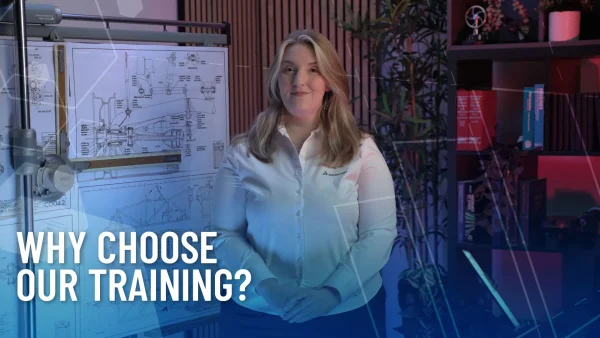
Our aim is to equip you or your team with the necessary skills to thrive in your projects. Investing in the correct knowledge from the start will ensure the shortest learning curve and encourage best practise - techniques which can save both time and money going forward.
How does booking a course work?
When buying training, we assign credits to your account which are then redeemed once you book a course. To view live availability and book, simply head to our training schedule online.
Want to know more?
Contact us online or email [email protected]
View our schedule or read our course descriptions.
Essentials Training Course
This 4 day introductory training course will help you establish best practice in drawings, parts and assembly modelling.
£2,000.00
Training Passport
Comprehensive bundle of training courses for one user at a significantly discounted cost. Includes the Essentials course and other recommended courses to become a professional SOLIDWORKS user.
£4,700.00
What is a Training Passport?
SOLIDWORKS Passports are training bundles that allow you to make massive savings compared to purchasing courses individually. Below are the courses you can attend on our Silver Training Passport, you can learn more about our other passport offers here.
Silver Passport Training Courses
Starting from the very basics of the program, the course develops looking at modelling essentials required for day to day use of the software, right through to some advanced topics for automating designs. Part and Assembly modelling and also the 2D drawing environment are introduced during this course.
This course, focused entirely on the 2D drawings aspect of the package, goes in depth into setting up drawing sheets, creating drawing views, applying dimension schemes and generating bills of materials.
For CAD managers we work through an example of creating, customising and reusing drawing border information to enable your drawing sheets to contain dynamic place holders to model information. Also learn how to reuse drawing data, manage references correctly and check your work against a baseline standard.
Learn about the multi-body environment within SOLIDWORKS, using Boolean operations and the master model technique. Delve deeper into the Sweep and Loft feature, looking in depth at the advanced options that are used to create organic and contoured shapes.
The course finishes off by looking at some of the lesser known SOLIDWORKS features, including advanced filleting options, interactive model manipulation and free-form design. A must for consumer and product designers, as well as general SOLIDWORKS users looking to gain a more rounded view of what the product is capable of from a complex shape point of view.
Learn about designing “top down” within the context of an assembly, ideal for bespoke/ one off components. Speed up assembly generation with shortcuts and tips and tricks for standard parts and fixings.
The course also looks at automated assemblies with configurations, post assembly modifications and an in depth look at assembly management. This course is a must for customers that generate larger assemblies to understand how to reap benefits of large assembly performance and management.
The surface modelling course is ideal for consumer and product designers who have a requirement to create complex shapes and forms. This course introduces the concept of modelling with surfaces.
The ability to mix and match between surfaces and solids is discussed in depth and a typical surface modelling workflow is one of the topics covered.
The sheet metal functionality built into SOLIDWORKS is a powerful aspect of the package that allows users to create the fully folded designs and quickly generate the flattened form for manufacture.
Use specific sheet metal commands such as edge and mitre flanges, hems and jogs as well looking at how standard SOLIDWORKS models can be converted to sheet metal designs.
Using weldments in SOLIDWORKS is a powerful means of creating fabricated structures within a single part environment.
Using a vast library of standard profiles, weldments allow you to create complex structures from simple base sketches.
The Mould tool design commands inside SOLIDWORKS allow you to quickly generate the core and cavity models directly from your SOLIDWORKS part file.
In addition, you will learn how to check the draft angles, where to position the parting lines in your design to generate viable tooling, and then account for any remaining undercuts (using both side actions and lifters) and create ejector pins. The course also looks at techniques for dealing with imported data (typically encountered in mould design).
This course focuses on the ability to create animations from your SOLIDWORKS Parts and Assemblies. We will cover various topics looking at automated and manual methods of creating animations featuring camera views, changing appearances and controlling the motion of components.
We investigate various visual techniques when creating moving cameras, including points-of-view for walk-throughs as well as attaching cameras onto moving objects. Advanced In-Context modelling techniques will be used to simulate real-life interactions – removing material with a tool or winding cable from one reel to another.
Finally we will cover the production of fully rendered animations and various other post-processing techniques.
The routing aspect of SOLIDWORKS is available as a Premium add-in. Electrical routing allows you to complete your electrical circuits in a fast and accurate fashion.
Discover the component libraries within SOLIDWORKS and the ability to create parts lists and wiring diagrams for assembly and manufacture.
The routing aspect of SOLIDWORKS is available as a Premium add-in. Pipe routing covers the ability to create flexible and orthogonal links within your SOLIDWORKS Assemblies. Learn how to generate rapid connections between key components and output as cut lists and assembly layout drawings.
Discover the libraries available in SOLIDWORKS and also how to create your own standard route parts.
The goal of this course is to introduce SOLIDWORKS designers to the 3DEXPERIENCE platform. By using 3DEXPERIENCE SOLIDWORKS software, designers create, store, manage and collaborate with 3D models in a seamless cloud-based platform.
Everything a designer creates using the SOLIDWORKS Connected software can easily be saved to the 3DEXPERIENCE platform for team communication and collaboration.
The focus of this course is on the fundamental skills and concepts central to collaboration and teamwork during the design process.
This course will teach key functionality within SOLIDWORKS Visualize Standard (included with SOLIDWORKS Professional) to attendees. The course content will begin with an introduction to the user interface and all of the necessary functionality to complete a basic render.
In subsequent lessons attendees will complete their knowledge of Visualize Standard through the use of examples focused on the detailed options within the software including, importing models, appearance management, use of lighting, render and output settings, textured appearances, decals, ground reflections & shadows, using cameras and applying effects to the final render.
This course is designed for those less familiar with the broader concepts of stress analysis and is divided into three main sections. Attendees will be introduced to the engineering terminology associated with stress analysis and how those concepts relate to each other. Hand calculated examples will be used to reinforce these principles.
The course will then move on to explain the background of Finite Element Analysis (FEA) using the Simulation Xpress module found in SOLIDWORKS Standard. Using this functionality and learning how to interpret the results obtained will close this section.
Finally, the class will be introduced to the capabilities offered by the further simulation products that are available to our customers. This will give users an understanding of how the available functionality relates to the real life failure modes that our simulations are trying to anticipate. To finish the course general advice for preparing CAD modelling in preparation for simulation is given.
Understand the seamless integration between the SOLIDWORKS and Simulation user interface. Understand basics of FEA and how these are interpreted into solving real life engineering problems, inevitably reducing the required number of physical prototypes and testing.
The course gradually introduces more and more functionality of the package- understanding the meshing process, interpreting results and outputs, assembly interaction and connector conditions. Learn how to speed up the analysis process of analysing structural behaviour of SOLIDWORKS parts and assemblies, as per real life.
Motion Simulation is a SOLIDWORKS Premium add-in and allows you to calculate and test mechanisms built into your parts and assemblies.
Using the animation interface of SOLIDWORKS, Motion Simulation can accurately simulate motors and inter-part relationships with graphical outputs such as power usage and cam trace paths, will full kinematic simulation. If you are only interested in Animations and not 'Physics Results' check out our Animations Course.
Need a machine to run SOLIDWORKS?
Enhanced subscription benefit
5% discount on hardware applied at checkout

Why buy hardware from us?
As a trusted Dell partner for 20+ years we can offer optimal SOLIDWORKS hardware at great value, with next business day delivery on most models.
Our laptop recommendations
We always recommended to use a laptop or desktop which meets the recommended SOLIDWORKS requirements.
All our workstations are built to optimise your SOLIDWORKS performance, for our detailed advice on what laptop to choose check out our video below or read our latest hardware advice.
Want to discuss hardware?
Whether you are looking for a new laptop or have questions about what server is best for PDM, our hardware team are always happy to discuss your needs and provide advice.
Contact us using the live chat below, calling us on 01926 333777 or emailing [email protected].

Design
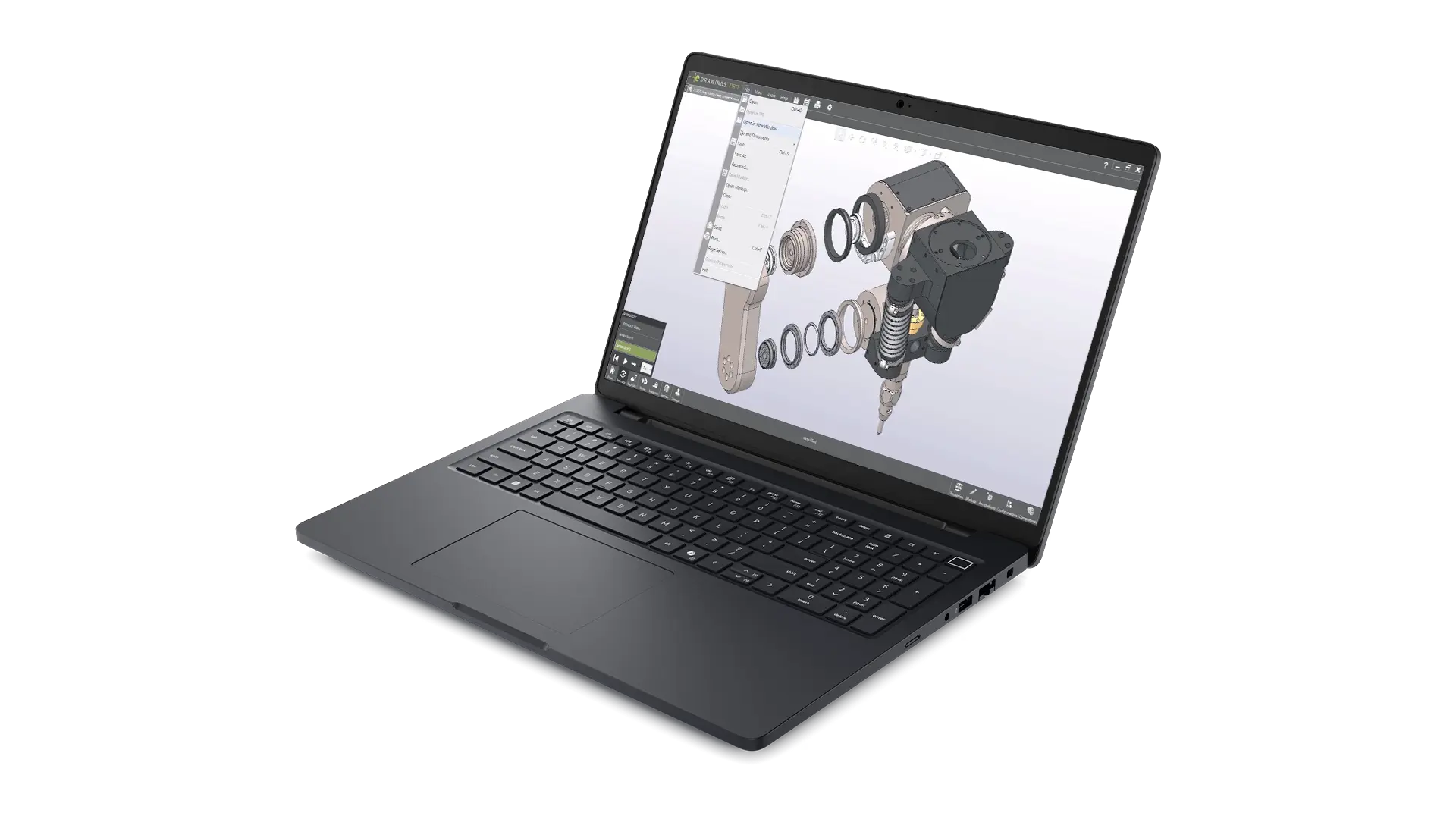
Dell Pro Max 16 – Mid Range 2025
A certified mobile CAD Workstation designed to handle core CAD tasks, with good performance for assemblies with hundreds of components.
£2,875.00
Dell Pro Max 16 - Mid Range 2025
The Dell Pro Max 16 is a great blend of performance and portability, mainly targeted at core CAD work, featuring a taller 16″ QHD+ 16:10 ratio screen offering increased workspace vs the previous 15 Inch Dell Precision 3000 series laptops.
The mid range spec features an Intel Ultra 7 265H with fast speeds for CAD along with 16 cores for multi-tasking and more multithreaded tasks while it’s 8GB NVIDIA RTX PRO 2000 graphics from the latest Blackwell generation is a workstation grade GPU optimised for stability and performance in engineering applications.
This is paired with 64GB of RAM and 1TB SSD making this laptop ideal for those dealing with datasets up to the low to mid thousands of component along with occasional light simulation or visualisation tasks.
Specifications
- Intel® Core™ Ultra 7 265H vPro®, 16 cores, turbo boost up to 5.3 GHz (45W)
- 16 Inch, QHD+ 2560x1600, 300 nit, 120Hz,100% sRGB
- Windows 11 Professional 64bit
- 64GB (2x32GB) DDR5, 6400 MT/s, CSoDIMM
- NVIDIA RTX PRO 2000 Blackwell 8GB GDDR7 Graphics
- 1TB M.2 PCIe NVMe Solid State Drive
- 6 cell, 96Whr battery
- 3Yr ProSupport and Next Business Day On-Site Service

High End
Dell Pro Max 18 Plus – High End 2025
This high end laptop is fitted with top of the range processor and is built to handle complex CAD assemblies, simulations and renders.
£4,850.00
Dell Pro Max 18 Plus - High End 2025
The Dell Pro Max 18 Plus sits at the top of Dells 2025 workstation laptop range replacing the previous Dell Precision 7780 Laptop series. With upgraded Tri-Fan cooling supporting higher power limits than ever before this is a true desktop replacement laptop.
Despite it’s massive 18 inch 16:10 QHD+ (2560×1600) 120Hz screen the form factor remains relatively manageable with it’s footprint growing minimally due to thinner bezels and weight increasing by around 350 grams due to increased use of magnesium alloy.
This spec features an Intel’s most powerful Ultra 9 285HX with fast speeds for CAD along and 24 cores for more multithreaded tasks such as simulation tools. The high end NVIDIA RTX PRO 4000 graphics card from the latest Blackwell generation is a workstation grade GPU optimised for stability and performance in engineering applications. Paired with 64GB of RAM and 2TB SSD this system is ideal for those dealing with datasets with many thousands of components, simulation and visualisation workflows.
Specifications
- Intel® Core™ Ultra 9 285HX, 24 core, Turbo Boost up to 5.5GHz (55W)
- 18" QHD+ 2560x1600, 120Hz, 500nits, 100% DCI-P3 screen
- Windows 11 Professional 64bit
- 64GB: 2x32GB, DDR5, 6400 MT/s, CSoDIMM RAM
- NVIDIA RTX PRO 4000 Blackwell 16GB GDDR7 Graphics
- 2TB Performance SSD Gen5, SED Ready
- 6 cell, 96Whr battery
- 3Yr ProSupport and Next Business Day On-Site Service

Why buy hardware from us?
As a trusted Dell partner for 20+ years we can offer optimal SOLIDWORKS hardware at great value, with next business day delivery on most models.
Our desktop recommendations
We always recommended to use a laptop or desktop which meets the recommended SOLIDWORKS requirements.
All our workstations are built to optimise your SOLIDWORKS performance, for our detailed advice on what laptop to choose check out our video below or read our latest hardware advice.
Want to discuss hardware?
Whether you are looking for a new laptop or have questions about what server is best for PDM, our hardware team are always happy to discuss your needs and provide advice.
Contact us using the live chat below, calling us on 01926 333777 or emailing [email protected].

Mid-Range
Dell Pro Max Tower T2 Desktop - Mid Range
A certified CAD Workstation best suited to handle mid-sized assemblies, simple simulations and SOLIDWORKS Visualize renders.
£2,875.00
Dell Pro Max Tower T2 Desktop – Mid Range 2025
The Dell Pro Max Tower T2 Desktop-Mid Range 2025 is the latest SOLIDWORKS certified workstation from Dells New Pro Max range of high performance desktop PCs. Based on Intel’s W880 workstation chipset supporting Intel’s new Ultra 765K CPU, NVIDIA RTX 2000 Ada generation professional graphics, 64GB of RAM and 1TB fast SSD storage.
The Pro Max Tower T2 also features premium air cooling with air-shroud to channel air from front intake fan, across the large CPU cooler to the rear exhaust fan. This also separates ever more powerful CPU and Graphics cards into separate zones allowing each to perform optimally.
This spec of Dell Pro Max Tower T2 Desktop is best suited to CAD datasets of medium complexity with thousands of components, along with occasional simulation and light visualisation usage.
Specifications
- Intel® Core™ Ultra 7 265K, 20 cores, Turbo Boost up to 5.5 GHz
- Windows 11 Professional 64bit
- 64GB (2x32GB) DDR5 Error Code Correction (ECC) Ram
- 16GB NVIDIA RTX 2000 Ada Generation Graphics Card
- 1TB PCIe NVMe Solid State Drive
- 1500W Chassis with Premium CPU Air Cooler & Air Shroud
- Intel® Wi-Fi 7 BE200, 2x2, 802.11be, MIMO, Bluetooth 5.4 wireless card 1Gbit and 5Gbit Ethernet
- 3Yr Dell ProSupport and Next Business Day On-Site Service

High End
Dell Pro Max Tower T2 Desktop - High End
A high spec model that can handle complex CAD datasets with thousands of components, complex simulations and Visualize animations.
£3,950.00
Dell Pro Max Tower T2 Desktop – High End 2025
The Dell Pro Max Tower T2 Desktop – High End 2025 is the latest SOLIDWORKS certified workstation from Dells New Pro Max range of high performance desktop PCs.
Based on Intel’s W880 workstation chipset and features Intel’s fastest Ultra 9 285K CPU, high end NVIDIA RTX 4000 Ada generation professional graphics, 64GB of RAM and 2TB of fast SSD storage.
The Pro Max Tower T2 also features premium air cooling with ‘air-shroud’ to channel air from front intake fan, across the large CPU cooler to the rear exhaust fan. This also separates ever more powerful CPU and Graphics card into separate zones rather than hot air from each mixing inside the PC.
This spec of Dell Pro Max Tower T2 Desktop is well suited to dealing with complex datasets, along with simulation and visualisation usage.
Specifications
- Intel® Core™ Ultra 9 285K, 24 cores, Turbo Boost up to 5.7 GHz
- Windows 11 Professional 64bit
- 64GB (2x32GB) DDR5 Error Code Correction (ECC) Ram
- 20GB NVIDIA RTX 4000 Ada Generation Graphics Card
- 2TB PCIe NVMe Solid State Drive
- 1500W Chassis with Premium CPU Air Cooler & Air Shroud
- Dell Wired Keyboard & Mouse
- Intel® Wi-Fi 7 BE200, 2x2, 802.11be, MIMO, Bluetooth 5.4 wireless card
- 1Gbit and 5Gbit Ethernet
- 3Yr Dell ProSupport and Next Business Day On-Site Service
SOLIDWORKS Premium – 3 Months
SOLIDWORKS Premium adds expansive design simulation capabilities, sophisticated electrical routing and harnessing, piping, time-based motion analysis and advanced surface flattening.
£1,163.00 ex. VAT
Should you buy online?
Our online store offers a straightforward way to buy SOLIDWORKS and we guarantee delivery of your SOLIDWORKS licence within one working day. It's a great option if you are a new customer looking for a rental licence.
However for most businesses, and for all existing customers, we recommend contacting us before purchasing online. We're here to help find the best solution for your business and our online offerings only represent a small selection of what we can offer.
Reasons to buy offline
Buying in numbers can often unlock savings. Mix and match on products is also available.
Split the cost over 12 - 60 months depending on the length of your license term.
Reduce admin tasks by aligning all licenses to a single renewal date - not available through the online store.
Take control and choose your preferred license model - ownership and multi-user possibilities.
If you are using data management systems, partner products or require integrations to existing software, then allow us to perform technical checks before you buy.
Want to know more?
Speak to our friendly team
Key SOLIDWORKS Premium Features
Everything in SOLIDWORKS Professional
SOLIDWORKS Premium offers the full capabilities of SOLIDWORKS Standard and Professional.
Linear Stress Analysis
With Linear Stress Analysis you can virtually validate quality, performance, and safety. Reduce the need for prototypes, and reworks to save time and development costs.
Motion Simulation
Evaluate how your product will perform and move throughout its operational cycle with motion analysis. Visualise your product moving and measure the forces and loads on your design.
Pipe, Tube, and Wire Routing
Accelerate the development process and save time by designing piping, tubing and cable routing more efficiently in 3D during system design with SOLIDWORKS.
Advanced Surface Flattening
Accurately determine or estimate the size and shape of surfaces in their flattened state in order to be able to cut the material from the flat sheet.
Cloud Services *new*
Included with every new seat of SOLIDWORKS, the SOLIDWORKS Cloud Services provide tools to share designs, manage files and store data in the cloud.
2D & 3D CAD Features
Standard
Pro.
Premium
- Learn Fast: In-Context and Toolbar Menus, Command Search, Built-In Tutorials, Searchable Help Documentation
- Work Fast: Hot Keys, Customisable Commands, and Equations
- Get Help Fast: Local and Worldwide Support Services
Handle all aspects of your part and assembly modeling and transform your ideas and concepts into virtual 3D models.
- 3D Solid Modeling
- Conceptual Design
- Direct Model Geometry Modification
- Large Assembly Design with over 100,000 components
- Advanced Surface Design
- Sheet Metal Design
- Welded Structure Design
- Plastic Part Design
- Mould Tool Design
Create production-ready 2D drawings that are always current and clearly communicate how to manufacture and assemble your designs, with tools including:
- Automatic Drawing View Creation
- Automatic Drawing View Updates
- Drafting Standards: ANSI, ISO, DIN, JIS, BSI, GOST, GB
- Manual and Automated Dimensioning and Tolerancing
- Annotations and Symbols
- Automatic Bill of Materials (BOM), Exploded Views, Balloon Notes
- Hole Tables, Weld Tables, Pipe Bend Tables, Cut Lists
- Sheet Metal Bend Notes
- Automated Creation of Radial/Cylindrical Exploded Views
Simplify the reuse of existing design data with rapid searching, reusable features, and configuration tools that help you speed up the creation of new designs.
- Rapid Searching
- Part and Assembly Configurations
- Reuse 2D and 3D CAD Data
- 3D CAD Models from Industry Suppliers
Easily analyse, compare, check and report on your designs.
- Power Selection Tools
- Symmetry Check
- Copy Feature Info into Other Features (Feature Paint)
- Find and Replace in Drawing
Convert incoming CAD data into SOLIDWORKS 3D CAD format and export SOLIDWORKS data to other CAD applications using 30+ translators.
- Interactive Feature Recognition and Conversion
- Automatic Feature Recognition and Conversion
Recreate designs with the ability to import, edit, evaluate and create solid geometry from scanned point-cloud and mesh data.
- Import, Edit, Evaluate, and Create Solid Geometry from Point Cloud and Mesh Data
- Import Adobe® Illustrator Files
- Import Image Files and Convert Raster to Vector Data
Easily find, customize, and share hundreds of thousands of
prebuilt industry-standard fasteners that configure on the fly
and assemble automatically in your design.
Flatten complex, nondevelopable surfaces typically encountered in products made from materials such as textiles or sheet metal.
- Automated, Interactive Surface and Curve Flattening and Data Export
Develop your designs for plants, hydraulic systems, building services and more with native pipe & tube routing:
- Create Detailed Piping Systems
- Create Flexible or Rigid Tubing Lines
- Customisable Library of Piping Components
- Automatic Assembly of Hangers and Supports
- Output Tube Bend Data for Manufacturing
- Cut Length Calculations Automated for BOM
- Automatic Routing Option for Pipes and Tubes
- Minimum Bend Radius Check for Tubes
- Output of PCF files for ISOGEN® piping software
Quickly add cables, wires and harnesses to your design. Create flattened drawing representations of your 3D cables and harnesses with wire lists, connection information and bills of materials.
- Create Detailed Electrical Cable and Wiring Harnesses
- Run Rigid or Flexible Electrical Conduit Segments
- Conduit
- Ribbon Cable
- Wire Lengths Automatically Calculated
- Automated Harness Flattening for Manufacturing
- BOM and Wire Cut Lists
Route rectangular and round sections that include ducting, cable trays, conveyors, material handling chutes and other systems.
- Automatic Routing Using Imported "From-To" Connection Data
- Mounting Hardware, Splices, Connectors, Insulation, Looms, Heat-Shrink Tubing, Cable Ties
Data Management & Cloud Collaboration
Standard
Pro.
Premium
Connect SOLIDWORKS to the 3DEXPERIENCE platform with the SOLIDWORKS Cloud Services. Equip SOLIDWORKS with tools for CAD-intelligent cloud data storage, file sharing, markup and collaboration, revision management, and control over processes such as engineering change.
- CAD-Intelligent Data Storage
- File Sharing
- Markup & Collaboration
- Revision Management
- Process Control
*3DEXPERIENCE SOLIDWORKS expands on the functionality provided by the SOLIDWORKS Cloud Services to SOLIDWORKS Subscription customers.
Shorten time to market with a collaborative project planning, monitoring, and execution solution, connecting your design data with all project members, tasks, deliverables, and communications.
Put lean principles into action to address operational waste, variability, and meeting efficiency with a new, visual way to plan, facilitate, and complete objectives.
Ensure consistent product quality by providing a shared product definition, maximizing data reuse, reducing the complexity of product structure, and aligning with corporate standards.
Reduce development time with the ability to create, modify, and explore multi-CAD product structures in a single context, reducing design iterations by making the review of designs and proposed changes universally accessible to stakeholders.
Securely store, share, access and manage the latest product design information within a secure vault on your local PC or network.
- Local, On-Premise Storage Options
- User Group Access Rights
- File Vaulting
- Secure Check-in and Check-out
- Automated Revision Control
Design Validation
Standard
Pro.
Premium
Before going into production, verify in 2D and 3D that your parts and assemblies will fit, assemble and operate correctly.
- Collision Detection
- Interference Detection
- Hole Alignment
- Thread Checks
- Curvature Visualisation
Before going into production, verify in 2D and 3D that your parts and assemblies will fit, assemble and operate correctly.
- Thickness Analysis
- Geometry Check for CAM
- Compare Parts and Drawings for Changes
- Draft and Undercut Analysis
- Sheet Metal Checks and Flat Pattern
Establish design standards and check drawings (or models) against them to create uniform designs and documentation.
- Verify Designs against Company Standards
- Automatically Correct Non-Conforming Issues
- Customise Design Check Rules
Continuously check your designs against cost targets with automatic cost estimation tools fully integrated within the 3D CAD solution.
- Compare Manufacturing Costs
- Automated Manufacturing Cost Estimation
- Customisable Manufacturing Settings
- Output Cost Report
- Manufacturing cost estimation and quoting overview for assemblies*
*Cost estimation of assemblies is available only in Premium packages of SOLIDWORKS or 3DEXPERIENCE SOLIDWORKS.
Realistically visualize your product moving throughout its operational cycle world, measure the forces and loads on your design, and use the data to correctly size motors and ensure product performance, quality and safety.
- Kinematic and Dynamic Analysis
- Inputs: Forces, Springs, Dampers, Gravity, Contact, Bushings
- Outputs: Displacement, Velocities, Accelerations, Body Loads, Joint Forces
- View/Publish Animations, Graphs, Reports
Calculate the stresses and deformations of geometry using Finite Element Analysis (FEA) methods, and running linear stress analysis to determine the response of parts and assemblies.
- Inputs: Variable Forces/Pressures, Full Restraint Sets, Connectors, Gravity, Contact, Materials
- Outputs: Factor of Safety, Stress, Displacement, Strain
- View/Publish Animations, Graphs, Reports
Calculate the stresses and deformations of geometry using Finite Element Analysis (FEA) methods, and running linear stress analysis to determine the response of parts and assemblies.
- Life-Cycle Assessment (LCA) for Environmental Impact: SOLIDWORKS Sustainability**
*The Sustainability module included within SOLIDWORKS Premium has been upgraded to the Eco-Design Engineer role with complete lifecycle analysis (LCA), and is available as an add-on role for 3DEXPERIENCE SOLIDWORKS.
**Sustainability Xpress is included within Standard and Professional desktop SOLIDWORKS for LCA of part components.
Visualisation
Standard
Pro.
Premium
Export CAD data for AR, VR and web viewing experiences while retaining geometry, appearance, motion studies, display states and more.
Easily create photographic-quality images from your 3D models early in the design process to get feedback and make informed design decisions with tools including:
- Realistic Textures
- Fully Customisable Appearances
- Representative Lighting & Environments
- Full NVIDIA GPU Support
- Physically Accurate Ray-Trace Rendering
- Live Final Render Previews
Access to eDrawings Professional via a separate installation:
- Create and Publish eDrawings Files
- Allow Measurement in eDrawings Files
- Enable Markup of eDrawings Files
- Exploded Views Support for eDrawings Files
- View Assembly Animations
- Password Protect Intellectual Property
Brands that trust Solid Solutions



Discover how companies succeed with SOLIDWORKS
Learn how businesses of all sizes are using SOLIDWORKS to improve the efficiency and reliability of their product development process.
What to expect from Solid Solutions
Support, upgrades, events, resources & more
Buying from us gets you more than just CAD. We sell at market price but deliver at exceptional value. For over 20 years, the customer has been at the core of what we do and now, we have the experience, breadth of knowledge and a diverse team providing essential support to make your life easy.

Rapid-response phone and email support
Gain access to the most qualified SOLIDWORKS support team in the world via phone, email, and our online portal to avoid delays and get reliable solutions quickly.

Exclusive onboarding resources
Our Onboarding team will help you get the most from your software. Take advantage of their knowledge, self-help resources, and live sessions to ensure you are maximising your productivity.

In-person development events
Attend exclusive events to develop your professional network and enhance your skills and productivity. We also run certification events to prepare for the SOLIDWORKS certification exams.

Upgrade to the latest software
With every new release, SOLIDWORKS implements hundreds of enhancements that have been requested by the global community of designers and engineers, stay up to date with your subscription.
Before you buy
Key Purchase Considerations
Should you buy rental or perpetual?
When buying SOLIDWORKS, you have the option to either rent the software or, you can purchase an indefinite expiry or perpetual license.
Typically rental licencing becomes less cost-effective than perpetual after three years.
It should be noted that you can mix and match license models, so perhaps perpetual licensing is best for your sustained business requirements, but when there will be an increase in output needed, rental licensing can meet a short term demand.
To buy online or contact us?
Our online store offers a straightforward way to buy SOLIDWORKS and we guarantee delivery of your SOLIDWORKS licence within one working day. It's a great option if you are a new customer looking for a rental licence.
However for most businesses, and for all existing customers, we recommend contacting us before purchasing online.
We're here to help find the best solution for your business and our online offerings only represent a small selection of what we can offer.
Are you eligible for any discounts?
Certain SOLIDWORKS licenses are available at a fraction of a commercial licence.
If you are starting a business, or run a company that is less than three years old you may qualify for our SOLIDWORKS start-up scheme.
Students, schools, universities and research staff should explore our range of educational licences.
Hobbyists that want to use SOLIDWORKS for non-commercial gain may purchase a SOLIDWORKS makers licence.

Ready to buy?
Start designing great products with SOLIDWORKS. Buy online today or contact our team to discuss options, bundles or ask us any questions.
Term Licence FAQs
Your new license will start within 1 working day of completing your purchase online. Your order confirmation will notify our team of your order. We will then carry out some basic checks to ensure legitimacy of the transaction, before generating your new license key. This can take up to 1 working day.
You will receive an email with a secure link to your new serial key. This will arrive by the end of the following working day.
In preparation of receiving your serial key, you will be able to download the SOLIDWORKS install files using a link in your order confirmation email. These are about 20GB in size, so it may take a while, depending on your internet speed.
Once the download is complete, start the install wizard, if you need help with the install contact our support team. You will be asked for your serial key in order to activate the license, and you will require an internet connection for activation.
When you reach the end of the install wizard, that’s it! Fire up SOLIDWORKS and it’s time to get designing!
Yes, you can upgrade your SOLIDWORKS license during your rental term. For example, if you had a 3 month Professional license, you can upgrade to Premium for the rest of the rental term.
Unfortunately, we can’t process upgrades through our online shop, but if you would like help upgrading, please contact our team who will give you the cost and arrange payment with you.
Rental licensing is active for the term specified and cannot be paused part way through the term.
Great news! You are reaching the end of your license and wish to extend your access.
To continue access please either purchase a new licence of SOLIDWORKS from our online store or get in touch about renewing your existing license.
Note our license processing only takes place on working days, so if your license expires at the weekend, you will have to order online in advance. If you require any assistance or have further questions beforehand, please contact our team.
Solid Solutions can only provide SOLIDWORKS licenses for use in the UK and Ireland.
Our partners in the TriMech Group can provide licenses in North America, so please get in touch if this is your requirement.
Every license key is uniquely generated and the rental period then commences. This means that it is not possible for us to accept returns on rental licenses.
If you have any concerns and require assistance, please get in touch with our team.
SOLIDWORKS licenses bought through our online store are desktop applications and run locally on your machine.
SOLIDWORKS has been a desktop application since creation in 1995. New products are being developed by Dassault Systèmes to provide cloud based modelling tools. These have been developed from scratch for optimum cloud performance, rather than translating the technology.
If you would like to discuss a cloud-based solution please contact us.
Yes, you may access an online trial for 7 days, or a desktop trial for 30 days. To request your free trial please fill in the form on our free trials webpage.
In order to add an a SOLIDWORKS network licence, you must have a SOLIDWORKS Network set up with the correct Licence Manager software.
Once you have a network in place, the SOLIDWORKS licenses must be network versions but can be either perpetual or term/rental.
Presently we only sell standalone rental licensing in our online store which cannot be added to a network. If you’d like pricing or purchase a network version, please contact us.